
微服务进行远程调用其他服务方式
267人参与 • 2026-01-23 • 微服务
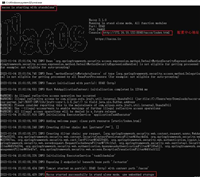
前置知识:将本地服务注册到nacos地址上:

1、服务调用
现在我们需要使用service-order服务调用sercice-business服务
使用@enablediscoveryclient注解, 开启服务调用
引入依赖
        <dependency>
            <groupid>com.alibaba.cloud</groupid>
            <artifactid>spring-cloud-starter-alibaba-nacos-discovery</artifactid>
        </dependency>
        <dependency>
            <groupid>org.springframework.cloud</groupid>
            <artifactid>spring-cloud-starter-openfeign</artifactid>
        </dependency>
需要被调用的服务启动类:
@enablediscoveryclient //开启服务调用
@springbootapplication
public class businessmainapplication{
    public static void main(string[] args) {
        springapplication.run(businessmainapplication.class,args);
    }
}
编写需要进行调用的接口:
    @getmapping("/business/{id}")
    public business getbyid(@pathvariable("id") string id){
        return  businessservice.getbusiness(id);
    }
创建resttemplate配置类,防止new 多个对象
@configuration
public class orderconfig {

    @bean
    public resttemplate resttemplate(){
        return new resttemplate();
    }
}
在服务层进行调用另外一个服务
@slf4j
@service
public class orderserviceimpl implements orderservice {

    @autowired
    private discoveryclient discoveryclient;

    @autowired
    private resttemplate resttemplate;


    @override
    public order getbyid(long id) {
        order order = new order();
        order.settotalamount(new bigdecimal("1000"));
        order.setnickname("尚硅谷");
        order.setid(id);
        order.setproductlist(lists.newarraylist());
        return order;
    }

    @override
    public order createorder(long userid, long productid) {
        //进行远程调用获取商品数据
        business businessbyid = getbusinessbyid(productid.tostring());

        order order = new order();
        order.setid(1l);
        order.setaddress("将军大道108号");
        order.settotalamount(bigdecimal.valueof(businessbyid.getprice() * businessbyid.getcount()));
        order.setnickname("尚硅谷");
        order.setuserid(userid);
        order.setproductlist(arrays.aslist(businessbyid));
        return order;
    }

    /**
     * 手动选择需要的实例进行调用
     * @param businessid
     * @return
     */
    public business getbusinessbyid(string businessid){
        list<serviceinstance> instances = discoveryclient.getinstances("service-business");

        //获取服务的第几个实例对象
        serviceinstance instance = instances.get(0);
        //端口的url
        string url = "http://" + instance.gethost() + ":"  + instance.getport() + "/business/" + businessid;

        log.info("远程调用的url:" + url);

        //进行远程调用
        business forobject = resttemplate.getforobject(url, business.class);
        log.info("返回的数据:" + forobject.tostring());
        return forobject;
    }

}
2、负载均衡
如果被调用的服务有多个实例,现在我们为了减轻某个服务的压力,对服务进行轮询调用:
现在我们需要在调用方,使用loadbanlancer依赖
依赖引入:
  <dependency>
            <groupid>org.springframework.cloud</groupid>
            <artifactid>spring-cloud-starter-loadbalancer</artifactid>
        </dependency>
依赖导入:
@slf4j
@service
public class orderserviceimpl implements orderservice {

    @autowired
    private discoveryclient discoveryclient;

    @autowired
    private resttemplate resttemplate;

    @autowired
    private loadbalancerclient loadbalancerclient;

    @override
    public order getbyid(long id) {
        order order = new order();
        order.settotalamount(new bigdecimal("1000"));
        order.setnickname("尚硅谷");
        order.setid(id);
        order.setproductlist(lists.newarraylist());
        return order;
    }

    @override
    public order createorder(long userid, long productid) {
        //进行远程调用获取商品数据
//        business businessbyid = getbusinessbyid(productid.tostring());
//        business businessbyid = getbusinessbyidwithloadbalancer(productid.tostring());
        business businessbyid = getbusinessbyidwithannotation(productid.tostring());

        order order = new order();
        order.setid(1l);
        order.setaddress("将军大道108号");
        order.settotalamount(bigdecimal.valueof(businessbyid.getprice() * businessbyid.getcount()));
        order.setnickname("尚硅谷");
        order.setuserid(userid);
        order.setproductlist(arrays.aslist(businessbyid));
        return order;
    }

    /**
     * 手动选择需要的实例进行调用
     * @param businessid
     * @return
     */
    public business getbusinessbyid(string businessid){
        list<serviceinstance> instances = discoveryclient.getinstances("service-business");

        //获取服务的第几个实例对象
        serviceinstance instance = instances.get(0);
        //端口的url
        string url = "http://" + instance.gethost() + ":"  + instance.getport() + "/business/" + businessid;

        log.info("远程调用的url:" + url);

        //进行远程调用
        business forobject = resttemplate.getforobject(url, business.class);
        log.info("返回的数据:" + forobject.tostring());
        return forobject;
    }


    /**
     * 使用loadbalancer进行负载均衡
     * @param businessid
     * @return
     */
    public business getbusinessbyidwithloadbalancer(string businessid){

        serviceinstance choose = loadbalancerclient.choose("service-business");
        //端口的url
        string url = "http://" + choose.gethost() + ":"  + choose.getport() + "/business/" + businessid;

        log.info("ip:" + choose.gethost() + ":" + choose.getport());
        log.info("远程调用的url:" + url);

        //进行远程调用
        business forobject = resttemplate.getforobject(url, business.class);
        log.info("返回的数据:" + forobject.tostring());
        return forobject;
    }


    /**
     * 使用注解@loadbalancer进行负载均衡
     * 需要在resttemplate上添加注解loadbalancer
     * @param businessid
     * @return
     */
    public business getbusinessbyidwithannotation(string businessid){

        string url = "http://service-business/business/" + businessid;


        //进行远程调用
        business forobject = resttemplate.getforobject(url, business.class);
        log.info("返回的数据:" + forobject.tostring());
        return forobject;
    }


}
其中,第三种,使用注解的方式进行负载均衡,需要将注解添加在resttemplate配置类上
@configuration
public class orderconfig {

    @bean
    @loadbalanced
    public resttemplate resttemplate(){
        return new resttemplate();
    }
}
总结
以上为个人经验,希望能给大家一个参考,也希望大家多多支持代码网。
赞 (0)
您想发表意见!!点此发布评论





发表评论