99人参与 • 2026-04-14 • 其他编程
要添加一个新的远程仓库,可以指定一个简单的名字,以便将来引用,
运行 git remote add [shortname] [url]:
$ git remote
origin
$ git remote add pb git://github.com/paulboone/ticgit.git
$ git remote -v
origin git://github.com/schacon/ticgit.git
pb git://github.com/paulboone/ticgit.git现在可以用字串 pb 指代对应的仓库地址了。
比如说:要抓取所有 paul 有的,但本地仓库没有的信息,可以运行 git fetch pb:
pb 是git push 命令中的 <远程主机名>,当把本地master分支的更新推送到远程主机,可以使用:
git push pb master
(第一次请加上参数-u,代表关联本地与远程) 意思是将本地的master分支推送到远程库(origin代表远程库)
git push命令用于将本地分支的更新,推送到远程主机。
它的格式与git pull命令相似。
$ git push <远程主机名> <本地分支名>:<远程分支名>
git cherry-pick <commit-id>
转移一系列的连续提交(包含起始commit)
git cherry-pick <起始 commit 的 sha-1 值>^..<结束 commit 的 sha-1 值>
git reflog // 即reference log 可以参考的log
 a "detached head" state refers to a situation where you are no longer on a branch, but instead you are directly pointing to a specific commit.
when you are in a detached head state, any changes you make will not be associated with a branch, and if you create a new commit, it will not be part of any branch.
# your branch is ahead of 'origin/<branch_name>' by 2 commits.
#   (use "git push" to publish your local commits)
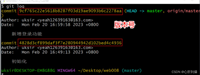
查看本地分支比远程分支多出的commit:
git log origin/<branch_name>..<branch_name>
以上为个人经验,希望能给大家一个参考,也希望大家多多支持代码网。
您想发表意见!!点此发布评论
版权声明:本文内容由互联网用户贡献,该文观点仅代表作者本人。本站仅提供信息存储服务,不拥有所有权,不承担相关法律责任。 如发现本站有涉嫌抄袭侵权/违法违规的内容, 请发送邮件至 2386932994@qq.com 举报,一经查实将立刻删除。

发表评论