
用c++写控制台贪吃蛇游戏完整步骤
16人参与 • 2025-12-05 • C/C++
效果图
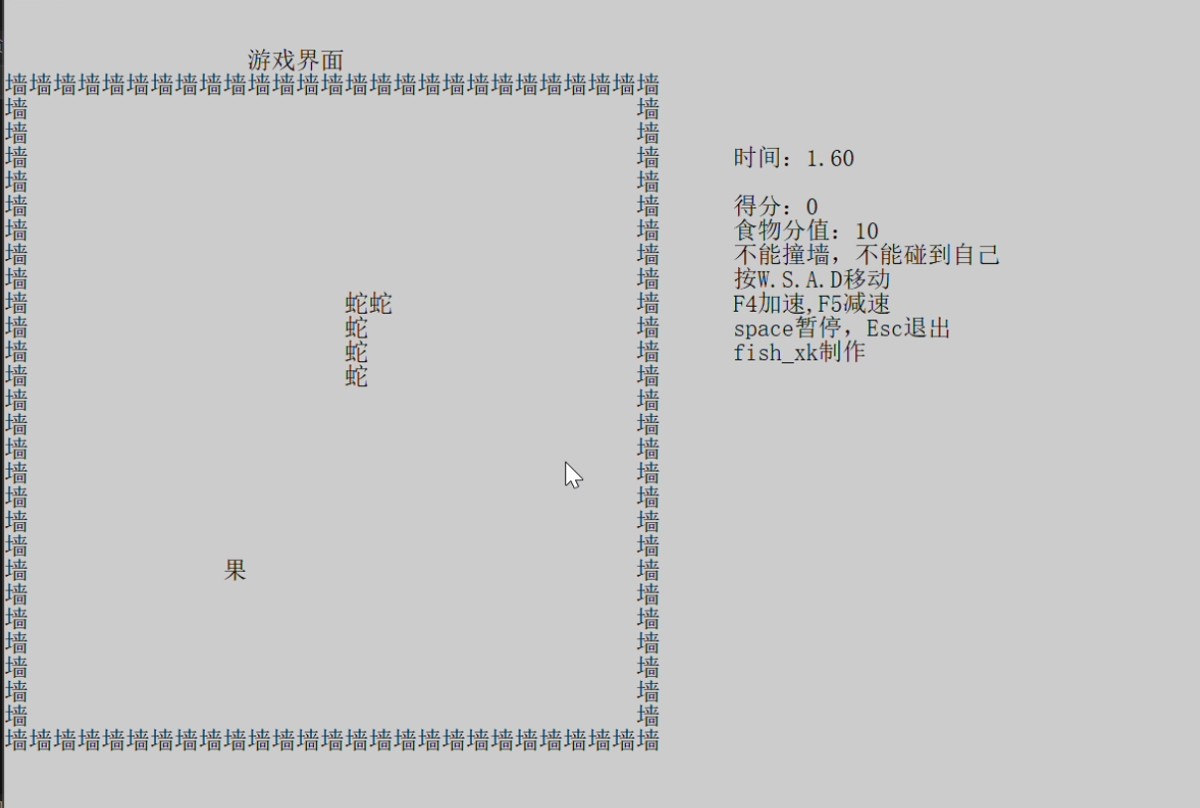
要使用的东西。
1.链表,2.结构体,3.系统操作。
创建界面
了解界面的生成和输入
先本地化环境用于在控制台输出中文setlocale(lc_all, "");要包含#include <locale.h>
要使用 system函数,要包括头文件windows.h。
void cj() {
    setlocale(lc_all, "");  // 设置本地化环境
    system("mode con cols=100 lines=40");  // 调整控制台窗口尺寸
    system("pause");  // 防止窗口自动关闭
}
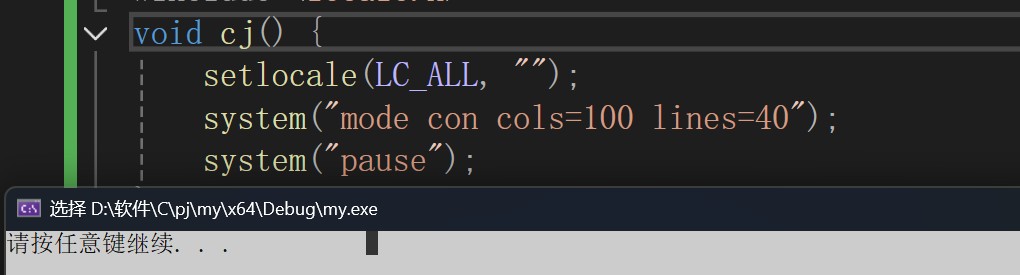
查看光标发现光标的长宽不匹配,调整cols和lines,来判断那个是长的。
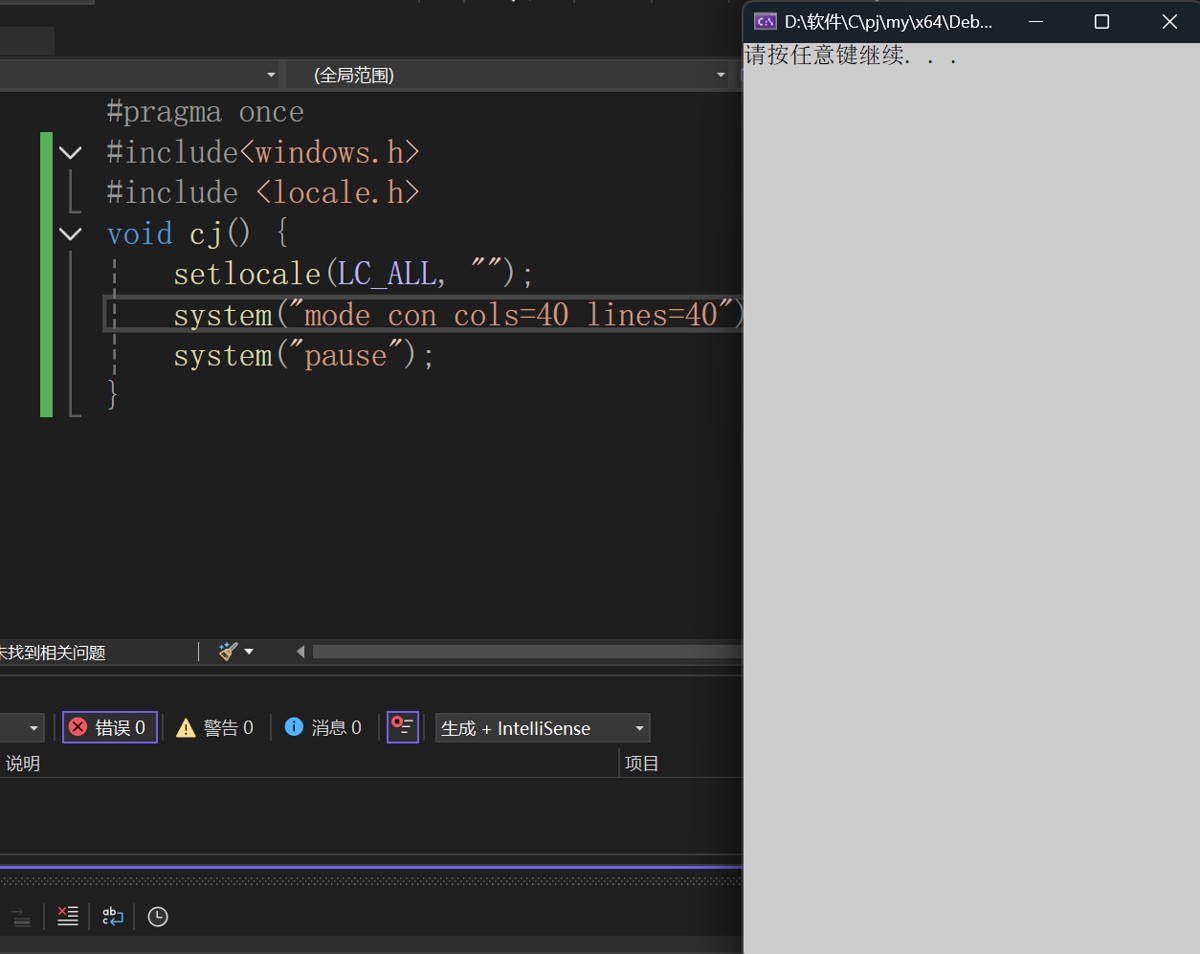
发现调整cols后长变了所以cols是窗口的长。
调整后发现2个长等于一个宽,所以我们设置时要设置2的倍数长
设置我们的游戏界面为25*25,加上边框长乘2,54*27,再加上提示,36长。凑个整
100*30.
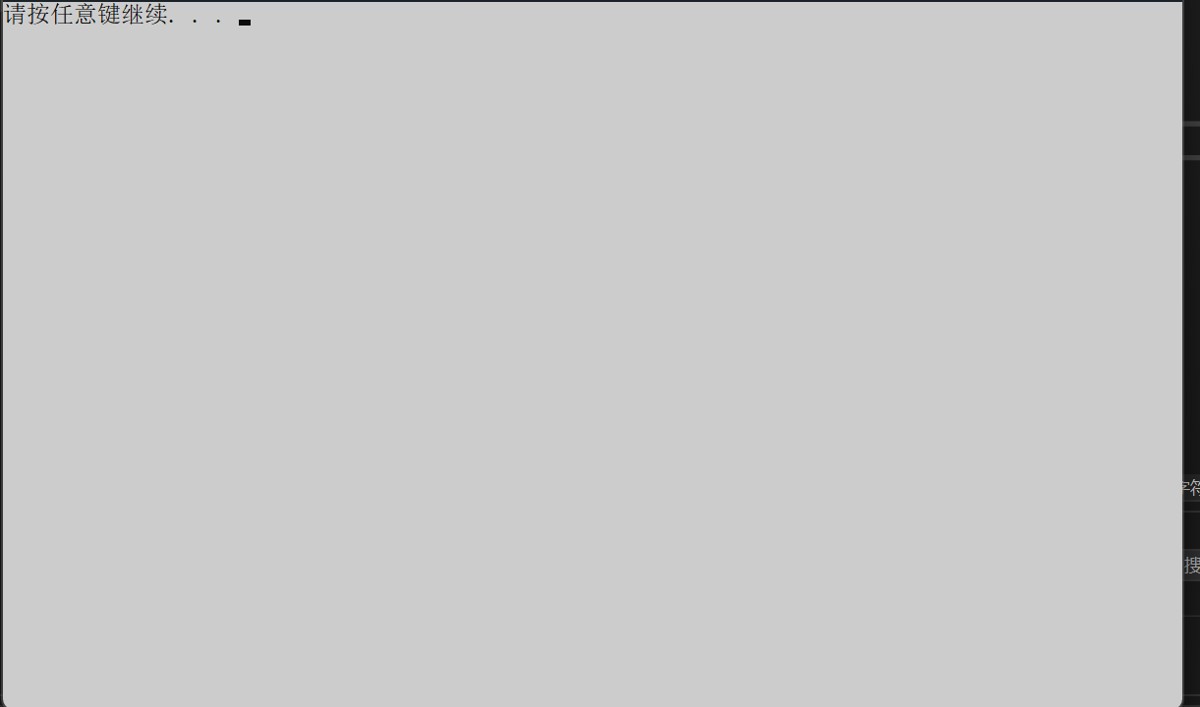
发现输出都从左上角开始,所以需要定位光标位置来输出,后续的内容也要运用光标的定位,所以我们要定义一个函数来表示光标定位。
handle houtput = getstdhandle(std_output_handle);

// 获取控制台输出句柄
// 使用getstdhandle(std_output_handle)获取标准输出设备句柄

coord pos = {x, y};  // 定义光标位置坐标(左上角为原点(0,0))

setconsolecursorposition(houtput, pos);  // 将光标定位到指定坐标

void dw(int x, int y) {
    handle houtput = getstdhandle(std_output_handle);
    coord pos = {x, y};
    setconsolecursorposition(houtput, pos);
}
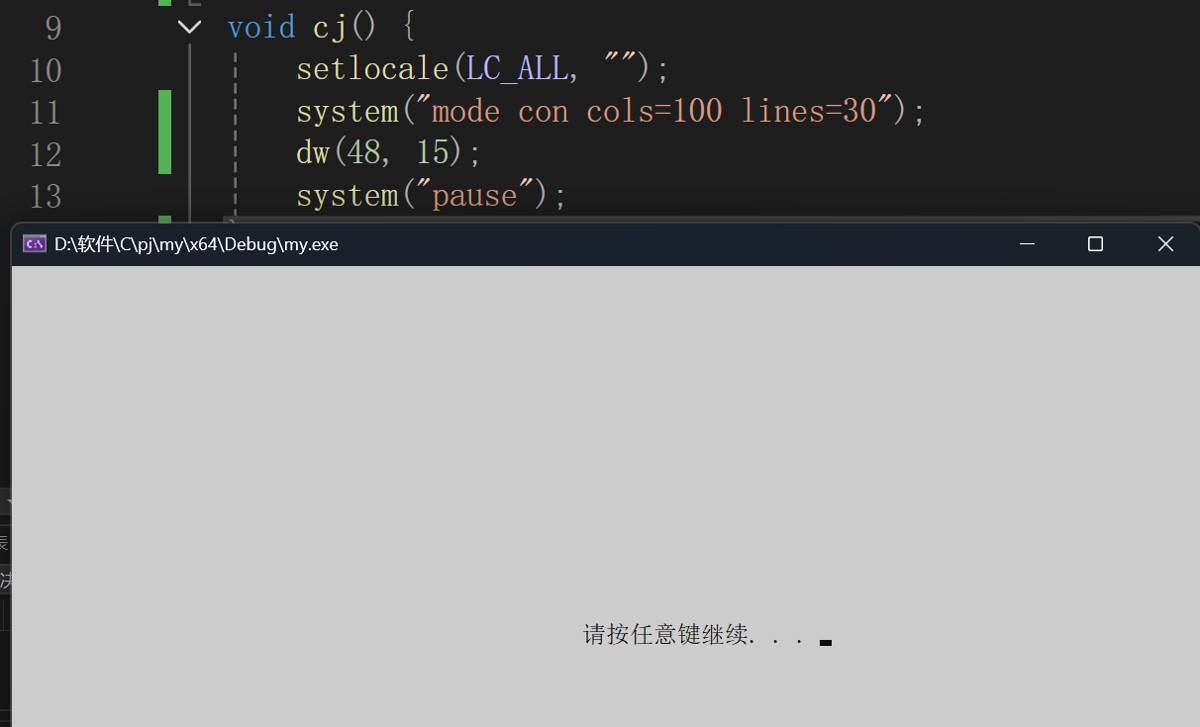
构建欢迎界面,(简介版)
dw(40, 15);
wprintf(l"欢迎来到贪吃蛇游戏");//用wprintf来输出宽字符,l表示后面的是宽字符,如中文等。
dw(40, 16);
system("pause");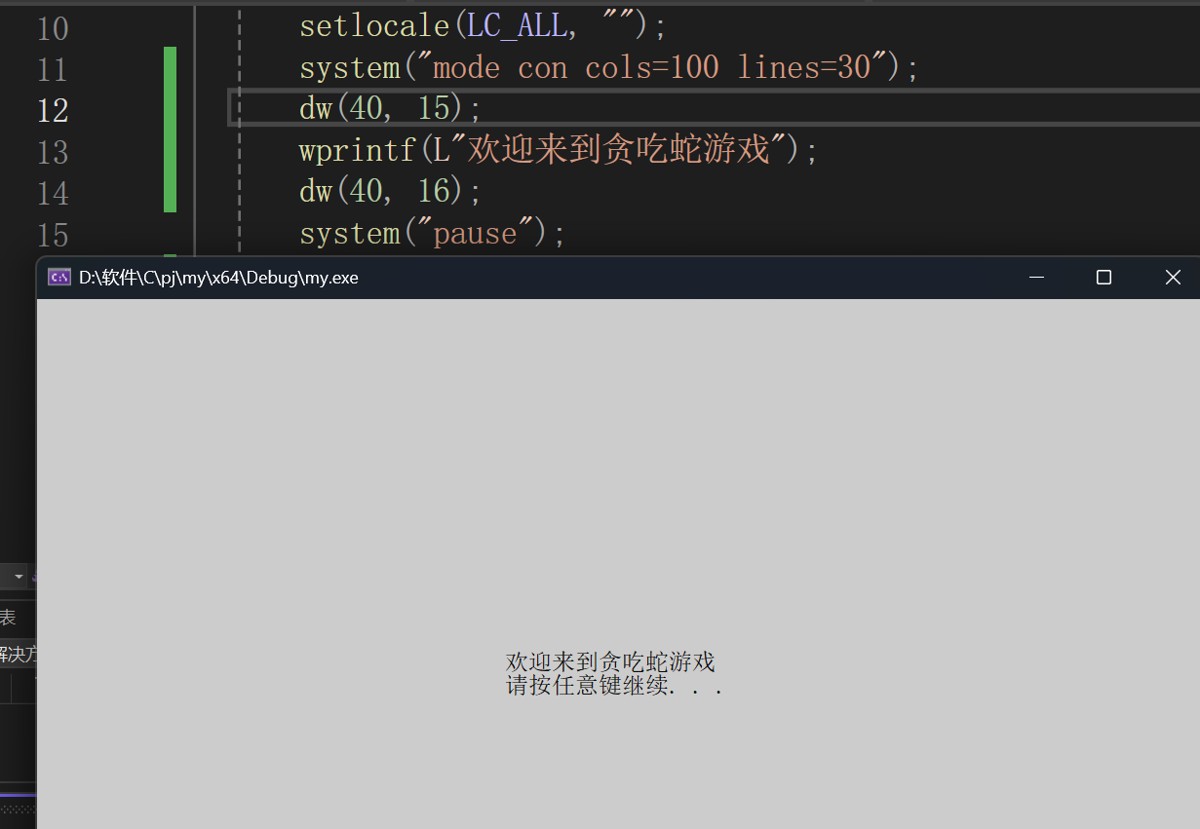
到下一个界面我们要清空当前界面。
system("cls");来清空界面
system("cls");  // 清屏操作
dw(40, 16);     // 调用dw函数,参数为40和16
system("pause");// 暂停程序执行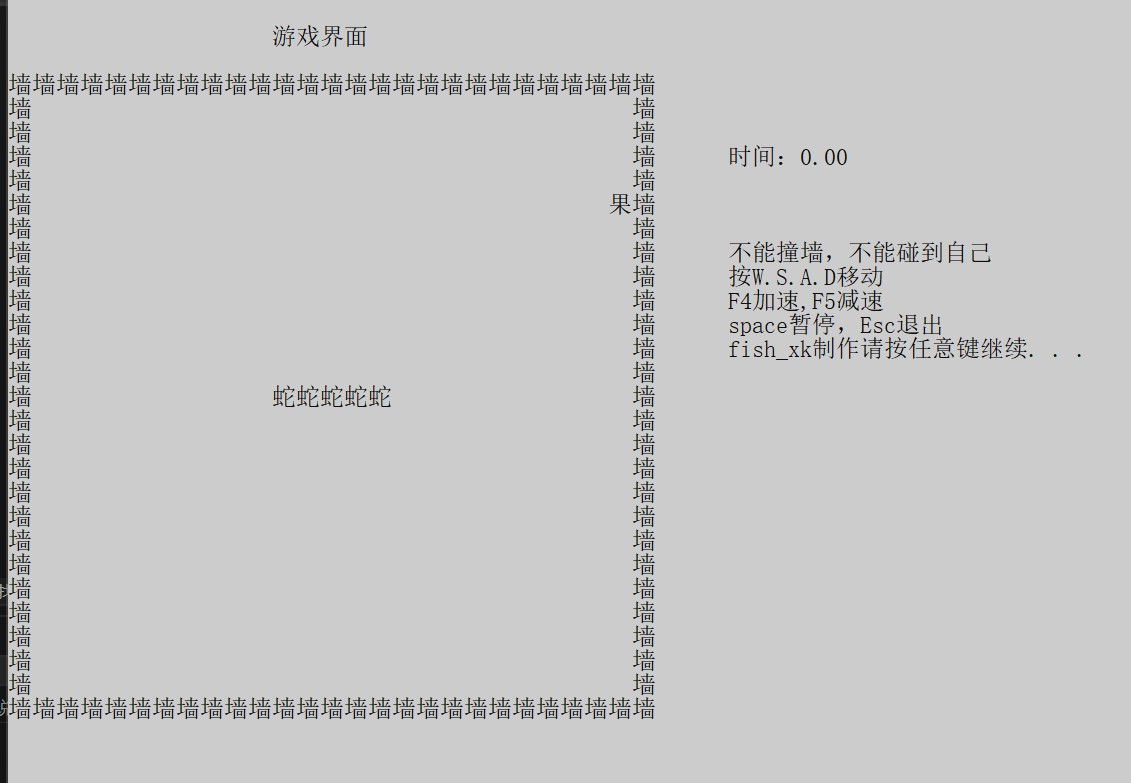
下一步设置我们的提示
按w.s.a.d移动,f4加速,f5减速,space暂停,esc退出。
定位要的位置输出数据,调整位置让它 看起居中。
dw(24, 15);
wprintf(l"按w.s.a.d移动,f4加速,f5减速,space暂停,esc退出。");
dw(40, 16);
printf("加速能得到更高的分数");
dw(40, 17);
system("pause");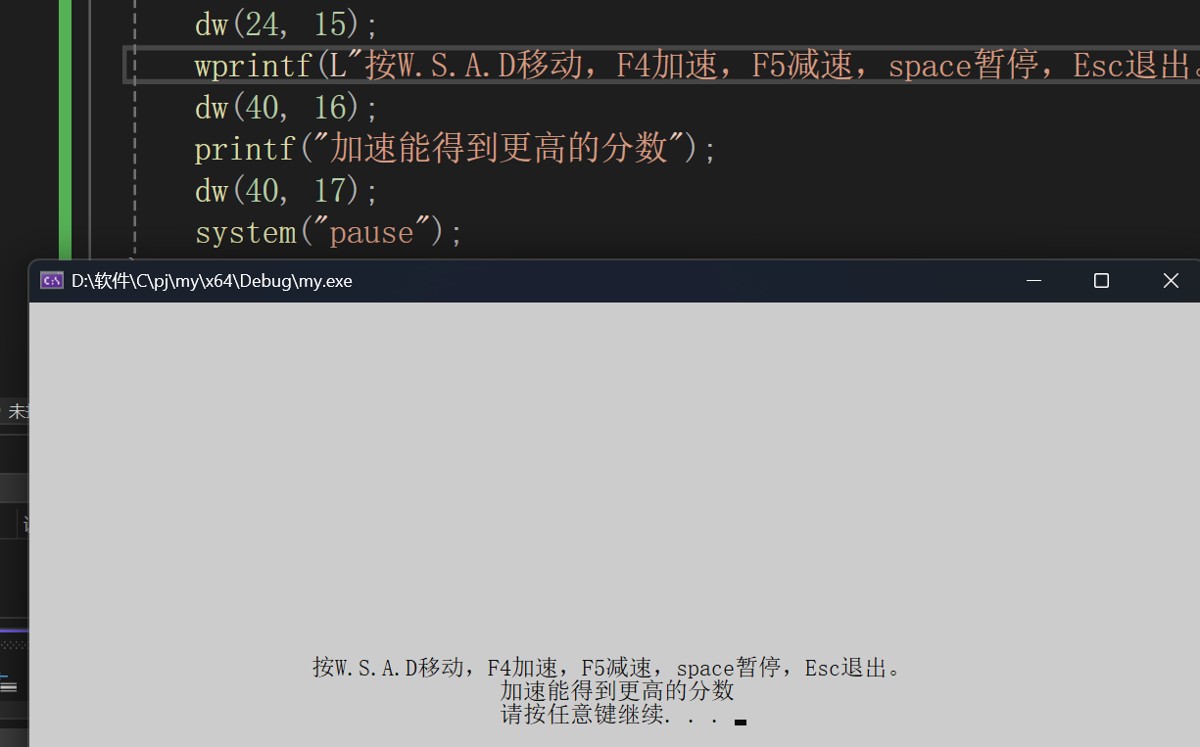
构建游戏界面
构建蛇的活动范围墙
发现高度不够扩高一点到40;下移墙,在顶上标识提示词表明游戏界面。
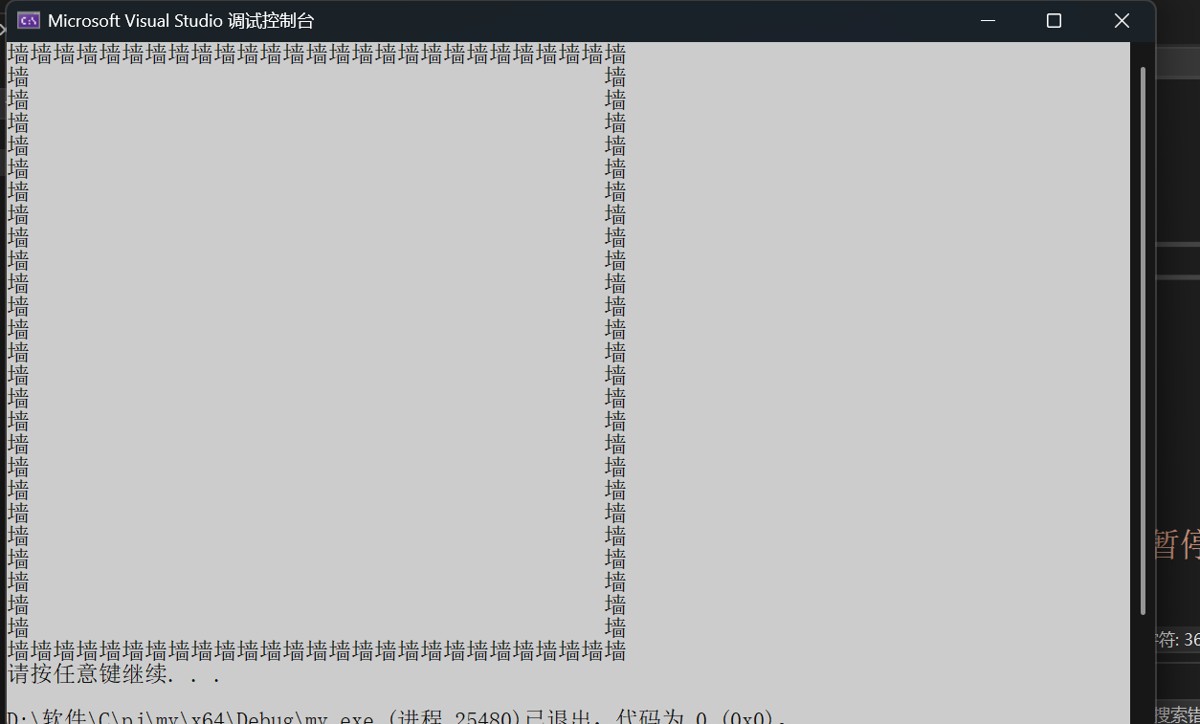
system("cls");
int i = 0, j = 0;
for (i = 3; i < 30; i++)
{
    dw(0, i);
    for (j = 0; j < 27; j++) {
        if (i == 3 || i == 29 || j == 0 || j == 26)
            wprintf(l"墙");
        else
            wprintf(l"  ");
    }
    printf("\n");
}
dw(14, 1);
wprintf(l"游戏界面");
dw(0, 32);
system("pause");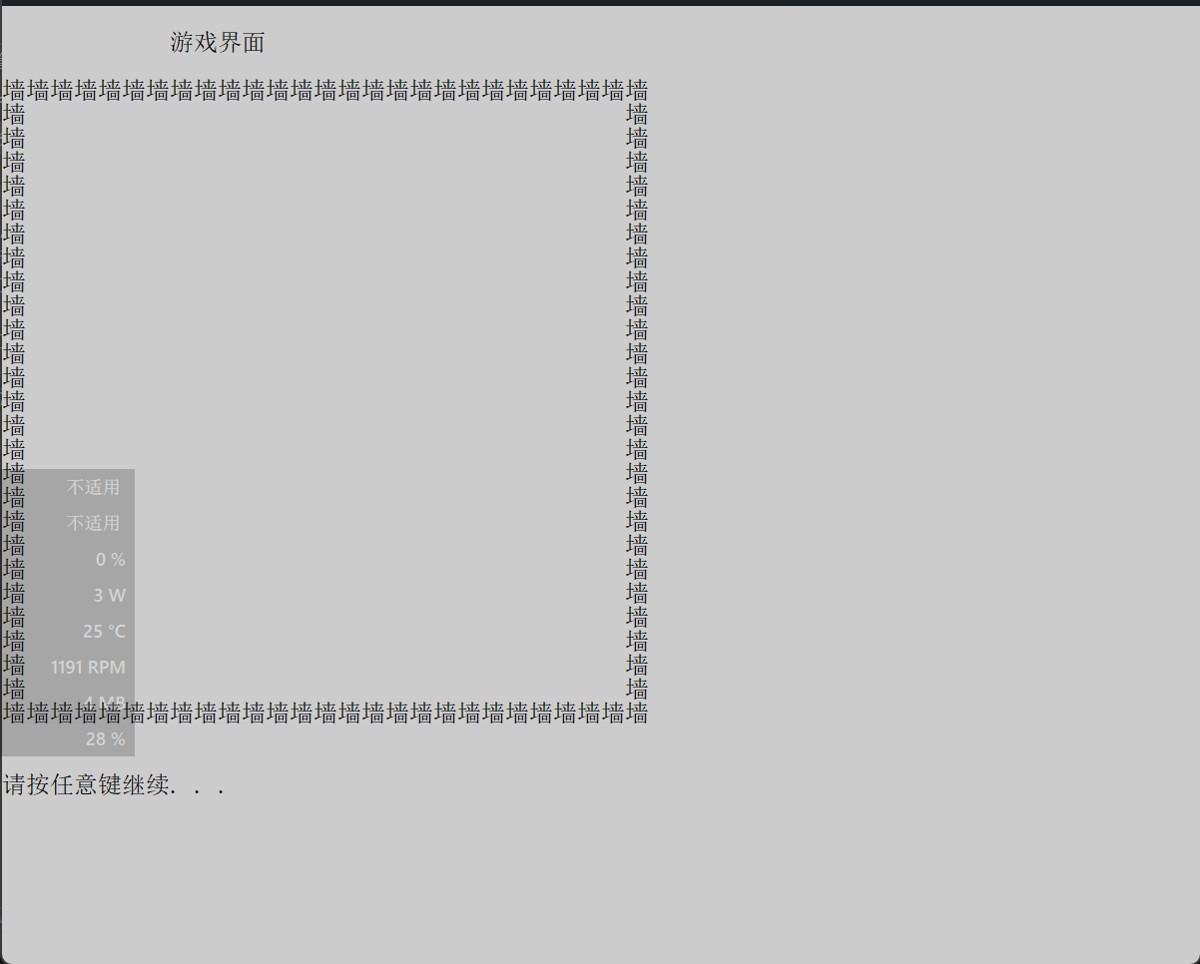
右边加入提示词
dw(60, 6);
wprintf(l"时间:%.2f", sj);
dw(60, 10);
wprintf(l"不能撞墙,不能碰到自己");
dw(60, 11);
wprintf(l"按w.s.a.d移动\n");
dw(60, 12);
wprintf(l"f4加速,f5减速\n");
dw(60, 13);
wprintf(l"space暂停,esc退出");
dw(60, 14);
wprintf(l"fish_xk制作");
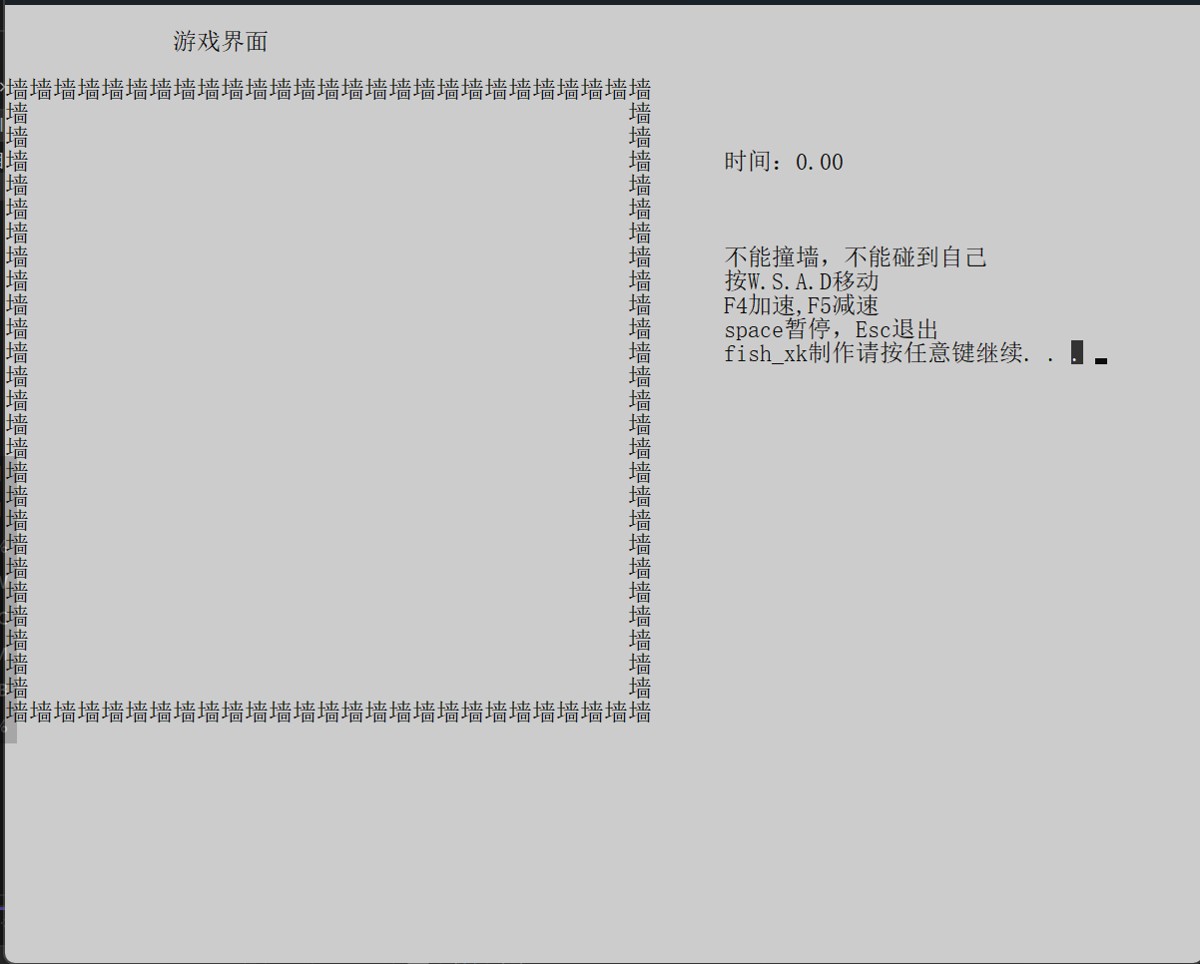
发现函数太长了,分别封装成函数。
float sj = 0;
void dw(int x, int y) {
    handle houtput = getstdhandle(std_output_handle);
    coord pos = { x,y };
    setconsolecursorposition(houtput, pos);
}
void help() {
    dw(60, 6);
    wprintf(l"时间:%.2f", sj);
    dw(60, 10);
    wprintf(l"不能撞墙,不能碰到自己");
    dw(60, 11);
    wprintf(l"按w.s.a.d移动\n");
    dw(60, 12);
    wprintf(l"f4加速,f5减速\n");
    dw(60, 13);
    wprintf(l"space暂停,esc退出");
    dw(60, 14);
    wprintf(l"fish_xk制作");
    system("pause");
}
void ks() {
    setlocale(lc_all, "");
    system("mode con cols=100 lines=40");
    dw(40, 15);
    wprintf(l"欢迎来到贪吃蛇游戏");
    dw(40, 16);
    system("pause");
    system("cls");
}
void zj() {
    dw(24, 15);
    wprintf(l"按w.s.a.d移动,f4加速,f5减速,space暂停,esc退出。");
    dw(40, 16);
    printf("加速能得到更高的分数");
    dw(40, 17);
    system("pause");
    system("cls");
}
void yxjm() {
int i = 0, j = 0;
    for (i = 3; i < 30; i++)
    {
        dw(0, i);
        for (j = 0; j < 27; j++) {
            if (i == 3 || i == 29 || j == 0 || j == 26)
                wprintf(l"墙");
            else
                wprintf(l"  ");
        }
        printf("\n");
    }
    dw(22, 1);
    wprintf(l"游戏界面");
    dw(0, 32);
}
void cj() {
    ks();
    zj();
    yxjm();
    help();
}
这样就完成了所有的界面的制作。
游戏本体
创建蛇
蛇由一个个节点组成,用链表来创建。重命名一下方便使用
typedef struct snakebody {
    struct tcs* next;
    int x;
    int y;
}snake,st;
有蛇,有果子,有速度。用一个结构体来表示。
蛇可以用头节点来表示。
果可以看作一个在外的蛇身。
typedef struct tcs{
    snake* head;
    int v;
    snake* guo;
}tcs;
还要有状态,方向,总分数,单个果子的权重。
typedef struct snakebody{
    struct tcs* next;
    int x;
    int y;
}snake;
enum gamezt {
    ok=1,
    fail,
    die_bywall,
    die_byself
};
enum snakefx {
    up = 1,
    down,
    left,
    right
};
typedef struct tcs{
    snake* head;//蛇
    snake* guo;//果
    int v;//速度
    enum gamezt zt;//状态
    enum snakefx fx;//方向
    int food_weight;//单个分数
    int score;//总分数
}tcs;
初始化一下蛇的身体。
尾插链表来初始蛇身
void push(snake**ps,int x,int y) {//插入蛇的节点
    snake* news = (snake*)malloc(sizeof(snake));//开辟节点
    news->next = null;
    news->x = x;
    news->y = y;
    if (*ps == null) {
        *ps = news;
    }
    else
    {
        snake* pos = *ps;
        while (pos->next) {//链接到末尾
            pos = pos->next;
        }
        pos->next = news;
    }
}

snake* body = (snake*)malloc(sizeof(snake));
body = null;
int i;
for (i = 22; i < 27; i = i + 1) {
    push(&body,22+(i-22)*2, 16);
}
ps->head = body;
print(ps);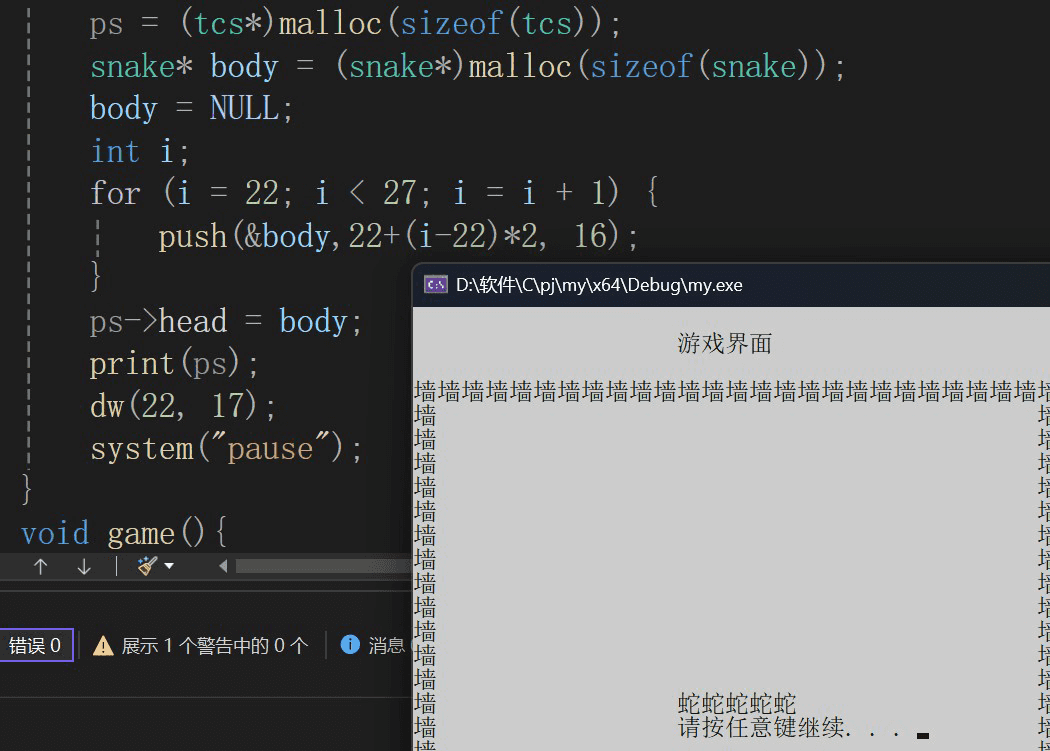
void print(snake*ps) {//打印蛇
	assert(ps);
	snake* cur = ps;
	while (cur) {//遍历链表
		dw(cur->x, cur->y);
		wprintf(l"蛇");
		cur = cur->next;
	}
}
tcs* cjsnake() {//返回蛇的头位置
	tcs*ps = (tcs*)malloc(sizeof(tcs));
	snake* body = (snake*)malloc(sizeof(snake));
	body = null;
	int i;
	for (i = 22; i < 27; i = i + 1) {//循环添加5个节点
		push(&body,22+(i-22)*2, 16);
	}
	ps->head = body;
	print(ps->head);//打印开始的蛇身
	cjguo(ps);
	ps->v = 200;
	ps->zt = ok;
	ps->fx = lefe;
	ps->score = 0;
	ps->food_weight = 10;
	return ps;
}
下一步生成果子,要有随机数要包含#include<time.h>
设置随机数
srand(time(null))

void cjguo(tcs* ps) {
    snake* news = (snake*)malloc(sizeof(snake));
    news->next = null;
    snake* cur = ps->head;
    ag:
    news->x = (rand()%25+1+1)*2;//第一个+1是保证1到25,后一个+1,是不能是墙
    news->y = (rand() % 25 + 1+4 );
    cur = ps->head;
    while (cur){
        if (cur->x == news->x && cur->y == news->y)//如果和蛇重叠重新生成。
            goto ag;
        cur = cur->next;
    }
    ps->guo = news;
    dw(news->x, news->y);
    wprintf(l"果");//打印果的位置
}
设置其他数据
    ps->v = 200;//速度
    ps->zt = ok;//状态
    ps->fx = left;//方向
    ps->score = 0;//成绩
    ps->food_weight = 10;//每个果子的分数
创建完毕
蛇的行走
while (cur->zt == ok) {
dw(60, 6);
wprintf(l"时间:%.2f秒", sj);
dw(60, 8);
printf("得分:%d", cur->score);
dw(60, 9);
printf("食物分值:%d", cur->food_weight);
snakedong(cur);//行动的函数
sj+=cur->v/1000.0;//行动时间
sleep(cur->v);//行动间隔
}
设置循环判断游戏状态。可以再加入时间
设置程序的休息时间,来实现运动间隔。
要控制程序,需要读取输入信息,所以定义一个读取的宏
#define key_press(vk) ((getasynckeystate(vk)&1)?1:0)
读取一个虚拟键盘值,判断是否按过。
if (key_press(0x53) && snake->fx != up) {//识别w
	snake->fx = down;
}
else if (key_press(0x57) && snake->fx != down) {//识别s
	snake->fx = up;
}
else if (key_press(0x41) && snake->fx != right) {//识别a
	snake->fx = lefe;
}
else if (key_press(0x44) && snake->fx != lefe) {//识别b
	snake->fx = right;
}
else if (key_press(vk_space)) {//识别空格
	while (1) {
		sleep(200);
		if (key_press(vk_space)) {//循环停止游戏
			break;
		}
	}
}
else if (key_press(vk_escape)) {//识别esc
	snake->zt = end_normal;
}
else if (key_press(vk_f4)) {//识别f4
	snake->v = snake->v - 10;
	snake->food_weight = snake->food_weight + 5;
}
else if (key_press(vk_f5)) {//识别f5
	snake->v = snake->v + 10;
	snake->food_weight = snake->food_weight - 5;
}
加入一个全局变量防止加速过头
根据蛇的方向来改变蛇的身体坐标
snake* toupush(snake*ps,int x,int y) {//插入头部,到达的节点
	snake* news = (snake*)malloc(sizeof(snake));
	news->next = ps;
	news->x = x;
	news->y = y;
	dw(news->x, news->y);
	wprintf(l"蛇");
	ps = news;
	return ps;
}
snake* pop(snake* ps) {//没吃到果子,删除多出来的节点
	snake* tail = ps;
	while (tail->next->next) {
		tail = tail->next;
	}
	dw(tail->next->x, tail->next->y);
	wprintf(l"  ");
	free(tail->next);
	tail->next = null;
	return ps;
}
if (snake->fx == up) {//向上
	snake->head=toupush(snake->head, snake->head->x, snake->head->y - 1);
}
else if (snake->fx == down) {//向下
	snake->head=toupush(snake->head, snake->head->x, snake->head->y + 1);
}
else if (snake->fx == lefe) {//向左
	snake->head=toupush(snake->head, snake->head->x-2, snake->head->y );
}
else if (snake->fx == right) {//向右
	snake->head=toupush(snake->head, snake->head->x+2, snake->head->y );
}
if (snake->head->x != snake->guo->x || snake->head->y != snake->guo->y)//是否吃到果子
	snake->head=pop(snake->head);//没吃到,删除尾节点
else {
	free(snake->guo);//释放果子的节点
	snake->guo = null;
	cjguo(snake);//重新生成果子
	snake->score += snake->food_weight;//加分
}
吃到果子就不删尾,分数加权重,没吃到就删尾。
编写失败条件。
if (snake->head->x == 0 || snake->head->x == 52 || snake->head->y == 4 || snake->head->y == 29)//到达墙体
	snake->zt = die_bywall;//改变状态
st* self = snake->head->next;
	while (self) {//遍历自身,看是否相交
		if (snake->head->x == self->x && snake->head->y == self->y)
			snake->zt = die_byself;//如相交更新状态
		self = self->next;
	}
结束后输出分数
system("cls");
dw(40, 15);
if (cur->zt == die_byself)
	wprintf(l"失败于撞到自己");
if (cur->zt == die_bywall)
	wprintf(l"失败于撞墙");
if (cur->zt == end_normal)
	wprintf(l"正常退出");
dw(40, 16);
wprintf(l"你坚持的时间是%.2f秒", sj);
dw(40, 17);
wprintf(l"你的得分是%d",cur->score);
隐藏光标
void gbyc() {
	//获取标准输出设备的句柄;
	handle houtput = getstdhandle(std_output_handle);
	//定义一个光标结构体
	console_cursor_info cursor_info = { 0 };
	//获取houtput句柄相关的控制台上的光标信息,存放cursor_info
	getconsolecursorinfo(houtput, &cursor_info);
	//设置吧光标的占比
	cursor_info.bvisible = false;//光标消失
	//设置和houtput句柄相关的控制台的光标信息
	setconsolecursorinfo(houtput, &cursor_info);
}
void ck() {
	//创建窗口
	setlocale(lc_all, "");
	coord pos = { 0,0 };
	system("mode con cols=100 lines=40");
	system("title.贪吃蛇");
	gbyc();
	//打印开始界面
}
到这里已经全部完成了。
总结
到此这篇关于用c++写控制台贪吃蛇游戏完整步骤的文章就介绍到这了,更多相关c++写控制台贪吃蛇内容请搜索代码网以前的文章或继续浏览下面的相关文章希望大家以后多多支持代码网!
赞 (0)
您想发表意见!!点此发布评论






发表评论